How to set up your delivery schedule and order limits

You’ve installed Buunto, and now your customers can pick a delivery or pickup date. But without the right settings, they might be booking dates you can’t fulfil, or fifty orders could land on the same time slot with nothing to stop them.
This guide walks you through the core settings that make sure your schedule works for your team, not against it.
Set your available days and time slots
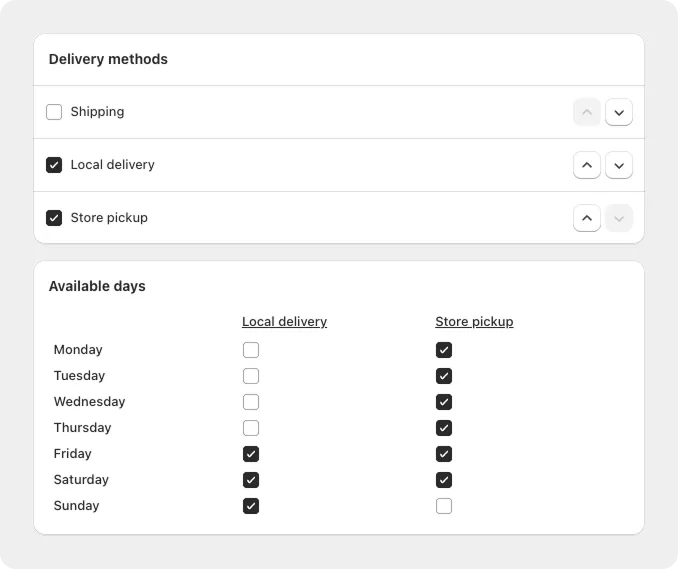
Start by telling Buunto which days you deliver or offer pickup, and what time windows are available. If you only deliver Tuesday through Saturday, your customers should only see Tuesday through Saturday. No more Monday morning orders you can’t get to.
→ How to set recurring available days
Set your preparation time
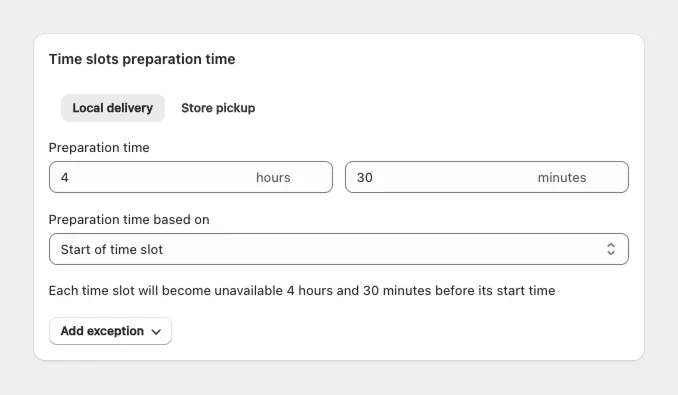
If you need 24 hours to prepare an order, same-day bookings shouldn’t be an option. Preparation time automatically blocks dates that are too close, so you’re never caught off guard by a last-minute order you can’t fulfil.
This is especially important for bakeries, meal prep, and anyone making products to order. Set it once and forget about it.
→ How to use and set preparation time
Add pickup locations
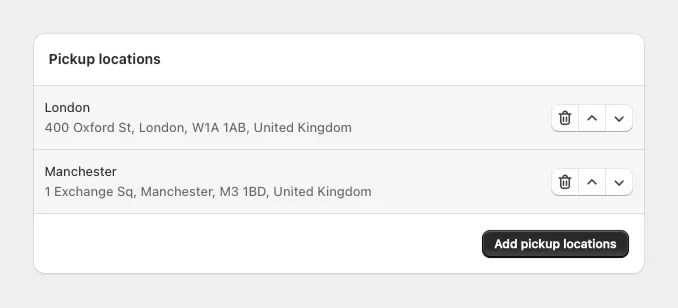
If you offer store pickup alongside delivery, add your locations so customers can choose where to collect. Each location can have its own schedule and availability.
→ How to enable pickup locations
Set order limits
This is the one most merchants forget, and it’s the one that matters most for your day-to-day operations.
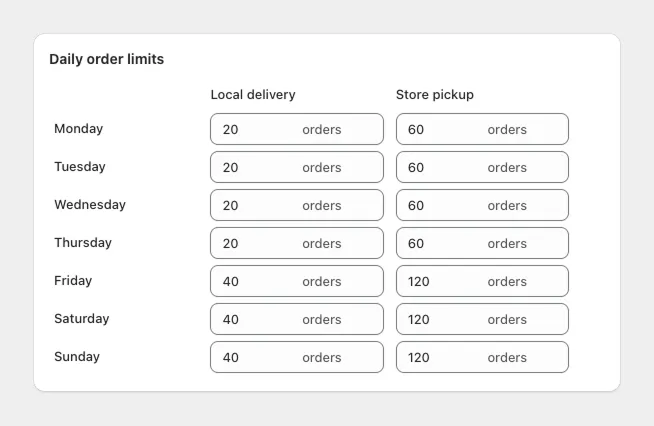
Without order limits, there’s nothing stopping 50 customers from booking the same delivery slot. Your team ends up overwhelmed, orders run late, and customers have a bad experience. Setting a cap per day or per time slot keeps your workload manageable and your customers happy.
→ How to limit orders per day or time slot
Add delivery surcharges (optional)
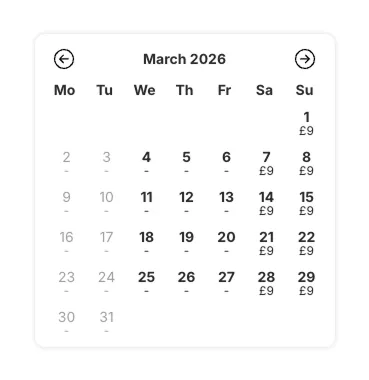
If weekend or rush deliveries cost you more, you can pass that on with a surcharge. Customers see the extra cost upfront before they book, so there are no surprises at checkout.
→ How to add a weekend delivery surcharge
What’s next
Once your schedule and limits are set, the next step is making the date picker match your store’s look and feel. Then you’ll want to show the selected date on your Thank You page and confirmation emails so customers always know when to expect their order.
If you need help with any of this, just reach out. We’re around 24/7 and usually respond in under 30 minutes.