Charge extra for selected delivery slots
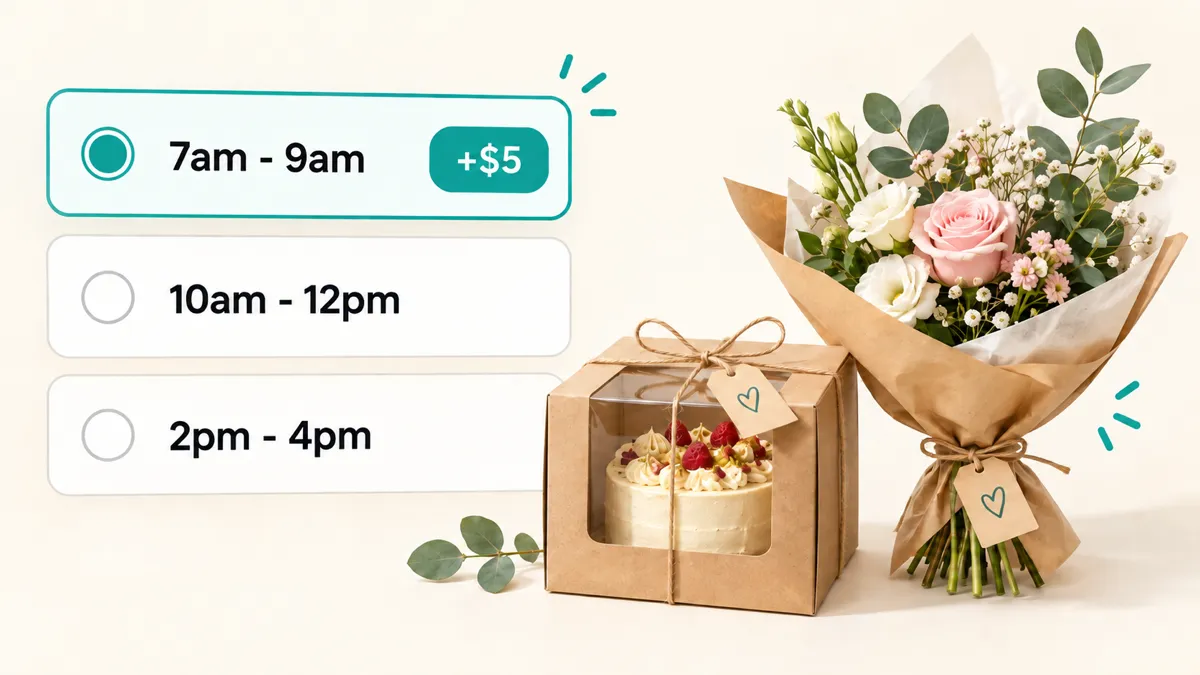
Want to charge $5 extra for morning delivery, but keep your usual price for afternoon slots? You can now apply a surcharge to selected time slots in Buunto, for delivery or pickup.
Set the extra charge where you need it
A bakery might add a $5 surcharge to its 7am - 9am delivery slot while keeping its usual delivery price for the rest of the day. A florist might offer an evening slot on Saturdays at a premium price.
You can apply a surcharge to one or several slots, whenever they’re available, or limit it to a particular weekday or date. It works for pickup slots too, giving you the same flexibility for collection times.
Show the extra cost beside each slot
You can show the extra cost beside each time slot in the date picker, so customers can compare their options before choosing. Someone who needs that early delivery can pay for the convenience, while someone with more flexibility can choose a slot without the extra charge.
Once they choose, Buunto automatically adds the matching surcharge to their cart. If they switch slots, the charge updates or is removed to match their new selection.
Get started
In Buunto’s Delivery surcharges settings, create or edit a surcharge and choose Applies to specific time slots. Choose the slots and the product you’ll use as the surcharge.
Follow our delivery surcharges guide for the full setup steps, including how to display the extra cost beside your time slots.