How to limit orders per day on Shopify
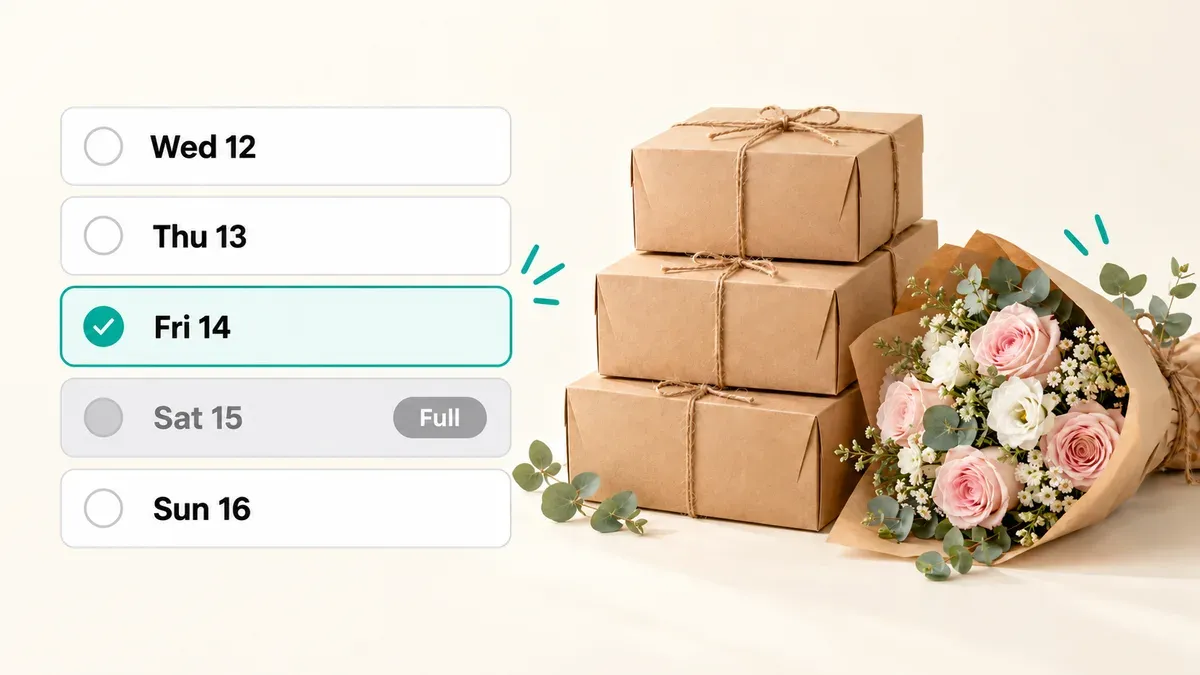
Shopify doesn’t have a setting that stops taking orders once you reach a number per day. You can cap orders by hand, with Shopify’s own workarounds, or automatically with an app. If you make or deliver orders on a set day, like a bakery or a florist, the limit you usually need is on how many orders each delivery or pickup day can take. Buunto does that: customers choose their date on the product page, and once a day is full, they can no longer choose it.
Two different daily limits
“Limit orders per day” can mean two things, and the right fix depends on which one you need.
- Orders placed today. You want the store to stop selling after, say, 30 orders today, whatever they’re for.
- Orders due on a day. You can bake 40 cakes or deliver 60 bouquets on a given day, and orders for that day can arrive weeks in advance. Mother’s Day orders can start arriving weeks early, and they all land on the same morning.
For shops that hand orders over on a schedule, the second one is the real problem. Capping today’s sales doesn’t stop next Saturday from filling up three times over.
Option 1: Cap orders by hand with Shopify
Shopify’s help center describes a few ways to stop selling once you’ve taken enough orders for the day (Shopify Help Center):
- Set your inventory to a daily maximum each morning, so products sell out when you hit your number. This only works if overselling is turned off.
- Remove the Add to cart button once you reach your target, and put it back when you’re ready for more orders.
- Remove your shipping rates for the day, so customers can’t check out physical products.
These are fine for an occasional pause, but they have downsides. You have to redo them every day. Inventory counts products, not orders. And none of them stops a future day from filling up.
Option 2: Limit how many orders each delivery or pickup day can take
With Buunto – Delivery Date Picker, customers choose their delivery or pickup date and time slot on the product page, the cart or the cart drawer before they check out. You decide how many orders each day can take, and Buunto counts the orders booked for that date. When a day reaches its limit, it’s switched off in the date picker, so the next customer simply picks another day.
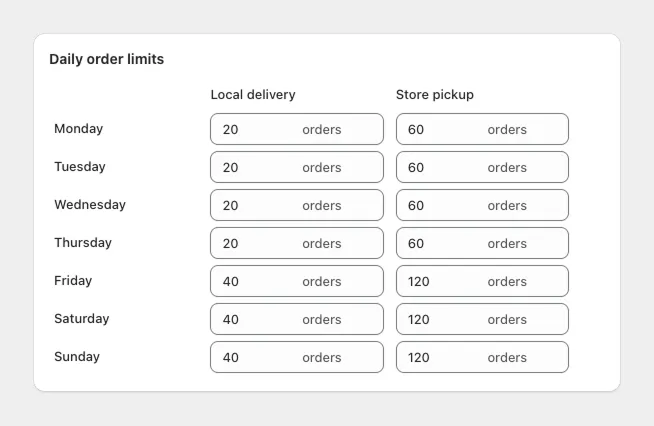
What you can set:
- A limit for each day of the week, for example 10 orders on weekdays and 20 on Saturdays.
- A limit for each time slot, so the 9 to 11 slot can’t take more orders than one van can deliver.
- Separate limits for delivery and pickup, because a counter can hand over far more collections than a driver can deliver.
- A limit for each pickup location, if your shops have different capacity.
- A different limit on a single date, such as Christmas Eve, Valentine’s Day or a day you’re short-staffed.
Order limits are on Buunto’s Advanced plan ($19.99 a month) and up, each with a 14-day free trial. Step-by-step setup is in our guide to setting up your delivery schedule and order limits and the order limits help article.
Tips for setting your limits
- Start a little below your real capacity. It’s easier to raise a limit than to turn customers away.
- Plan your busiest days early. Set the limit for Christmas Eve or Mother’s Day weeks before, while orders are still coming in.
- Use time slots for deliveries. A daily limit stops you overbooking the day, a slot limit stops everyone choosing the same hour.
- Combine limits with cut-off and preparation times. Limits control how many orders a day takes, cut-offs control how late customers can still order for it.
Which option is right for you?
If you only need to pause your store now and then, Shopify’s manual workarounds are enough. If you prepare or deliver orders on a set day, limit orders per delivery or pickup day instead, so busy days fill up and close on their own while the rest of your calendar stays open.
See how this works for bakeries and florists, or try Buunto free on the Shopify App Store.