New: Checkout Order Validation
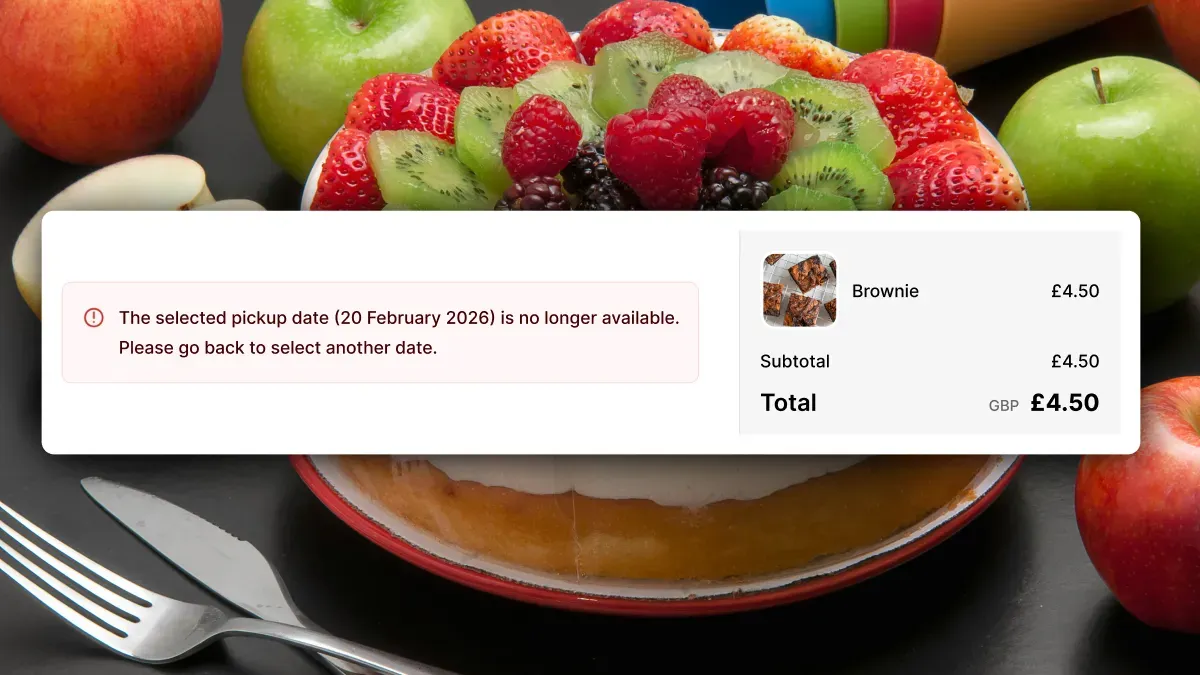
Maybe you’ve experienced it yourself. You select a delivery or pickup date and by the time you reach the checkout page something has changed and your chosen date/time is no longer available. Frustrating, especially when there’s no clear message or simple way to choose another option.
To combat this we’ve launched Checkout Order Validation.
With new Shopify functionality, we now validate the selected date, time slot, and delivery surcharge at checkout. Before this, invalid orders could occasionally get through, causing fulfillment headaches and unhappy customers.
How it works
When a customer reaches checkout, Buunto automatically checks five things:
- Missing delivery or pickup date: the customer skipped the date selection
- Missing time slot: a time slot is required but wasn’t selected
- Date no longer available: the cut-off time has passed, the date is sold out, or it’s been blocked by the merchant
- Time slot no longer available: the selected slot has since become unavailable
- Missing delivery surcharge: a required delivery surcharge wasn’t added, so the order can’t go through without it
If any of the checks fail, the customer will see a clear error message explaining the problem and be guided to go back and update their selection. The end result: invalid orders don’t slip through.
How to enable it
- In Buunto: go to Settings > Validation and advanced settings, enable the checkbox, and click Save
- In Shopify Admin: go to Settings > Checkout, click “Add checkout rule”, and turn on the Buunto validation rule
We recommend running a few test orders afterwards to make sure everything works as expected.
Customise error messages
Validation errors are shown in your customer’s language by default, and you can customise the wording for each error type and language in Settings > Text and languages under Checkout validation.
For the full step-by-step setup guide, check out our documentation.